Last updated · Written and tested by The PhotoRestorationFree team, who build and maintain this tool.
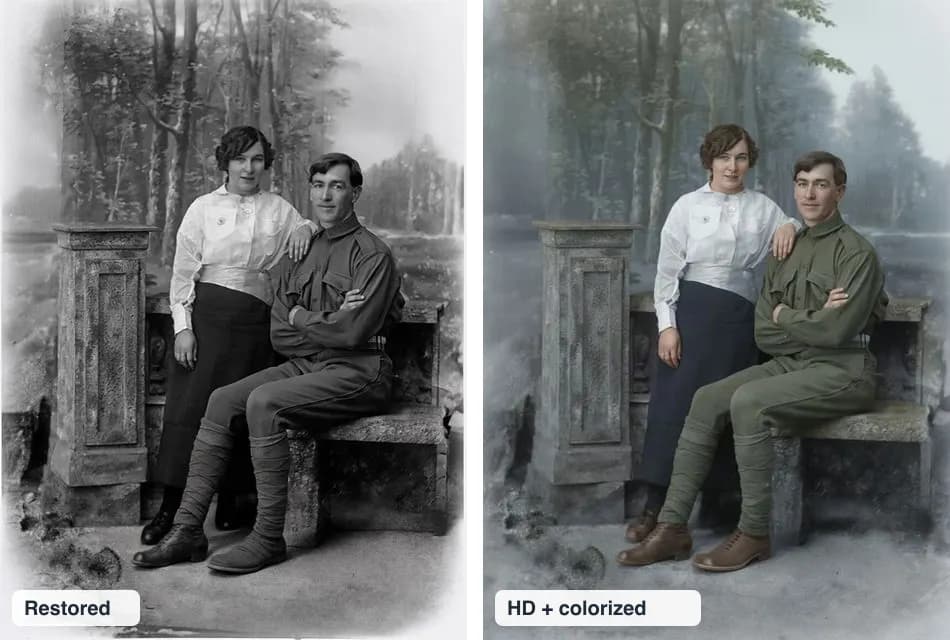
Seeing a great-grandparent in color for the first time is surprisingly moving. You can colorize old photos here in the same step as restoring them: upload, check the free restored preview, then tick Colorize and download in HD.
How AI colorization works
A black-and-white photo stores brightness, not color. The AI looks at shapes and textures (a face, a uniform, a tree, a brick wall) and predicts the most likely color for each, based on millions of color photos it has learned from. That is why skin, sky and foliage usually look right, while a single coat or a painted door is a guess.
We tested 3 colorizers: here is why we chose ours
| Model type | What we saw |
|---|---|
| Classic colorization network | Fast, but pink and red casts on clothes and backgrounds. |
| Color-grading model | Over-sharpened, "crunchy" backgrounds. |
| Instruction-following image model (our choice) | Natural skin, fabric and foliage; people and composition kept the same. |
Tips for the most natural color
- Repair the photo first (our HD step does this automatically).
- Use the largest scan you have; small faces get less accurate skin tones.
- Scan black-and-white prints in color mode to keep subtle tones.
- Keep the black-and-white version too. Many families like to print both side by side.
Respecting the original
Colorized images are interpretations. When you share them, especially for family history or genealogy sites, say that the color was added by AI and keep the original. For damage repair without color, see fix old photos.
Colorize old photos: FAQ
How do I colorize a black and white photo?
Upload the photo above to restore it free. Then tick Colorize and download the HD version: the AI adds natural color to the repaired photo. The free preview stays black and white.
Are AI colors historically accurate?
They are plausible, not proven. The AI knows what skin, grass, sky, wool and wood usually look like, but it cannot know the real color of a dress or a car. If you know the true colors, mention that when you share the photo.
Will colorizing change faces?
It shouldn't. We use a model that is told to keep every person, pose and object exactly the same and only add color. Always compare with the slider.
Should I restore or colorize first?
Restore first. Scratches and stains confuse colorization and get tinted along with everything else. Our HD step always repairs first, then colorizes, then enhances faces.
Can I colorize a sepia photo?
Yes. Sepia prints are toned black-and-white photos. The AI replaces the brown tone with natural color.
How much does colorizing cost?
Colorizing is included at no extra cost in the HD download: $2.99 for one photo, or included in the $9.99 Unlimited plan.